Login with Microsoft account 365
If you use Microsoft 365 for emails in your organization, you can allow users to log into the graphical interface of PBX (GUI) with your Microsoft 365 account (without having to enter the user and password).
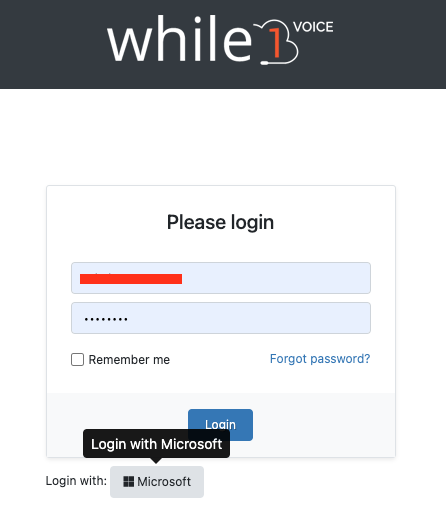
To activate authentication with Microsoft (Microsoft Oauth), the following settings must be made:
1. Create an application in Microsoft Azure - App registrations -> https://portal.azure.com/
2. Fill in the data of the application created in the PBX
3. Fill in the valid email address, created in the Microsoft organization, at the user level in the PBX (PBX :: Users, Edit User).
Make the required Microsoft Oauth settings in accordance with the steps below:
1. Create an application in Microsoft Azure - App registrations -> https://portal.azure.com/
1.1. Creating APP Registrations
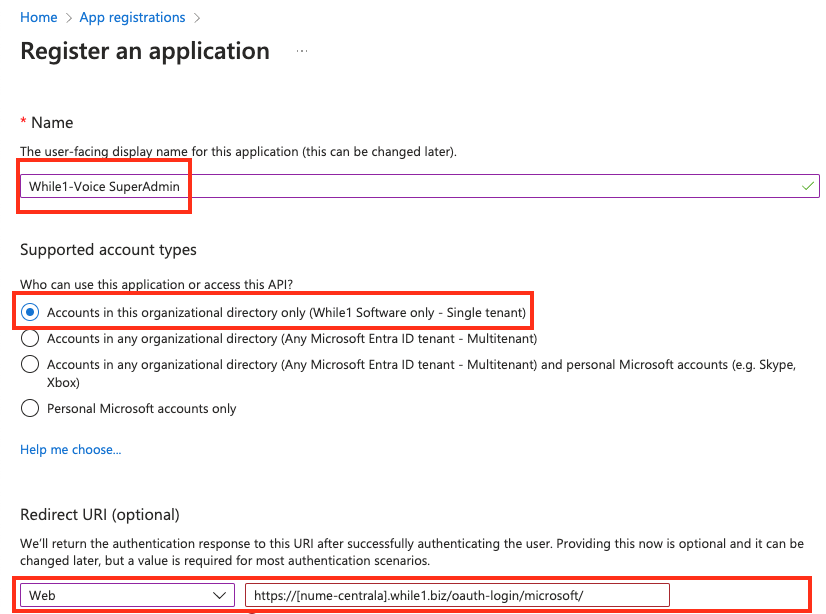
Access from the Microsoft portal (https://portal.azure.com/) APP Registrations > Click New Registration
- Name : add whatever name you want (ex: While1-Voice SuperAdmin)
- Check at Supported account types - Accounts in this organizational directory only (While1 Software only - Single tenant)
- Redirect URI - choose WEB and fill in the address: https:// [pbx-name] .while1.biz/oauth-login/microsoft/
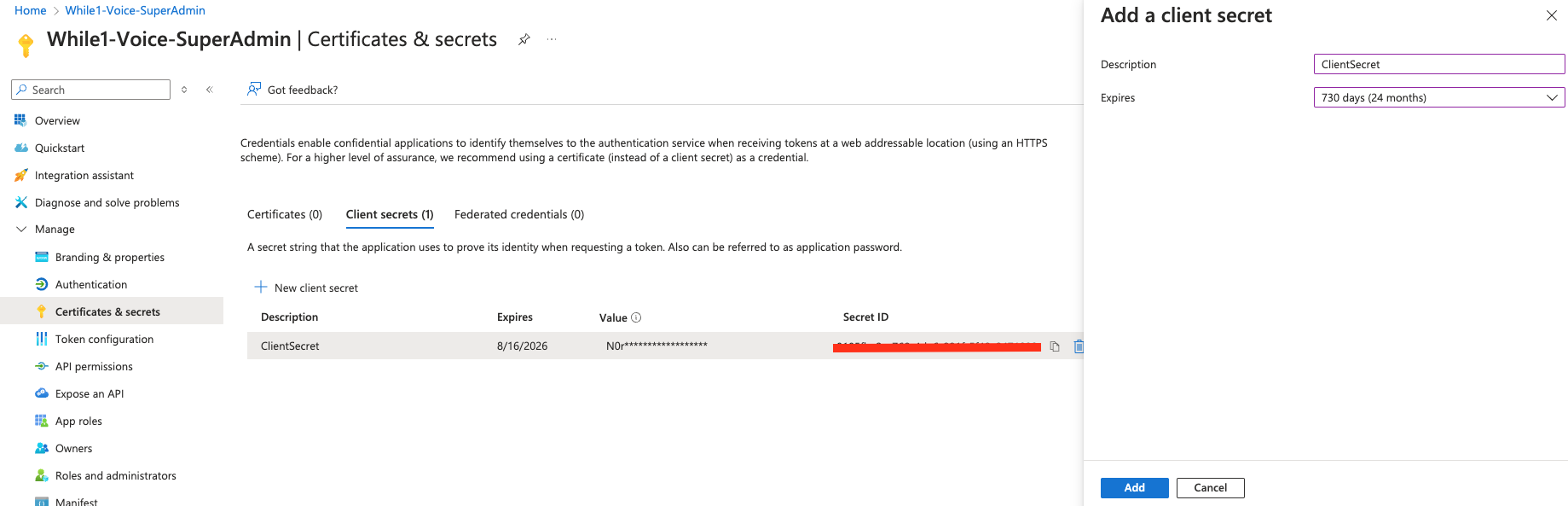
- In App registrations , select the created application
- Select Certificates & secrets > Client secrets > New client secret
- Add a description for your client secret
- Select an expiration for the secret or specify a custom lifetime
- Select ADD
- Copy Value (secret value) to use in the PBX - This secret value will never be displayed after you leave this page.
See microsoft documentation: https://learn.microsoft.com/en-us/entra/identity-platform/quickstart-register-app
2. Fill in the application data created in the PBX
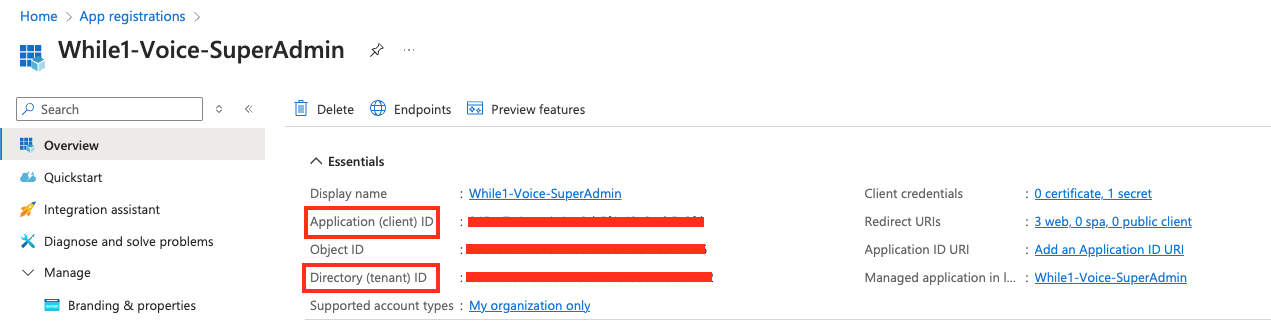
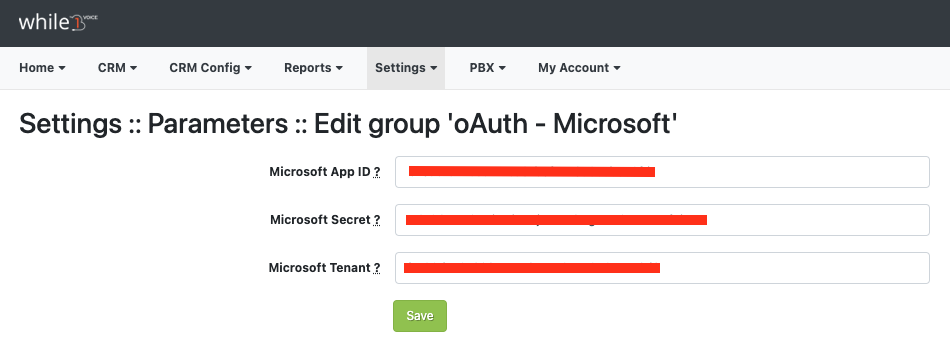
Access the module Settings :: Parameters :: 'oAuth - Microsoft' and fill in the data of the created Microsoft application:- Microsoft App ID - Application (client) ID
- Microsoft Secret - Secret Value - The value of the secret created in point 1.3
- Microsoft Tenant - Microsoft Directory (tenant) ID
3. Fill in the Microsoft email address in PBX (PBX :: Users, Edit User).
3.1. The main Microsoft email domains are: Outlook.com, Hotmail.com, Live.com, Microsoft 365
Disponibil in alte limbi: RO