How do I activate MFA for GUI access
See:
Enabling MFA for users with GUI access
This can be done using the following methods:
1. Recommended: Enforce MFA activation for all users, within a predefined grace period:
Access PBX :: Users and in the Enforce MFA for all users after area, click one of the options: 7 days | 15 days | 30 days.
This option will also set the default grace period for new users.

2. Optionally, you can set for each user, separately, what grace period you want:
MFA Due Date represents the grace period during which MFA can be activated by the user.
Access PBX :: Users :: Edit User and set MFA Due date , the date on which the user will have to complete their MFA process.
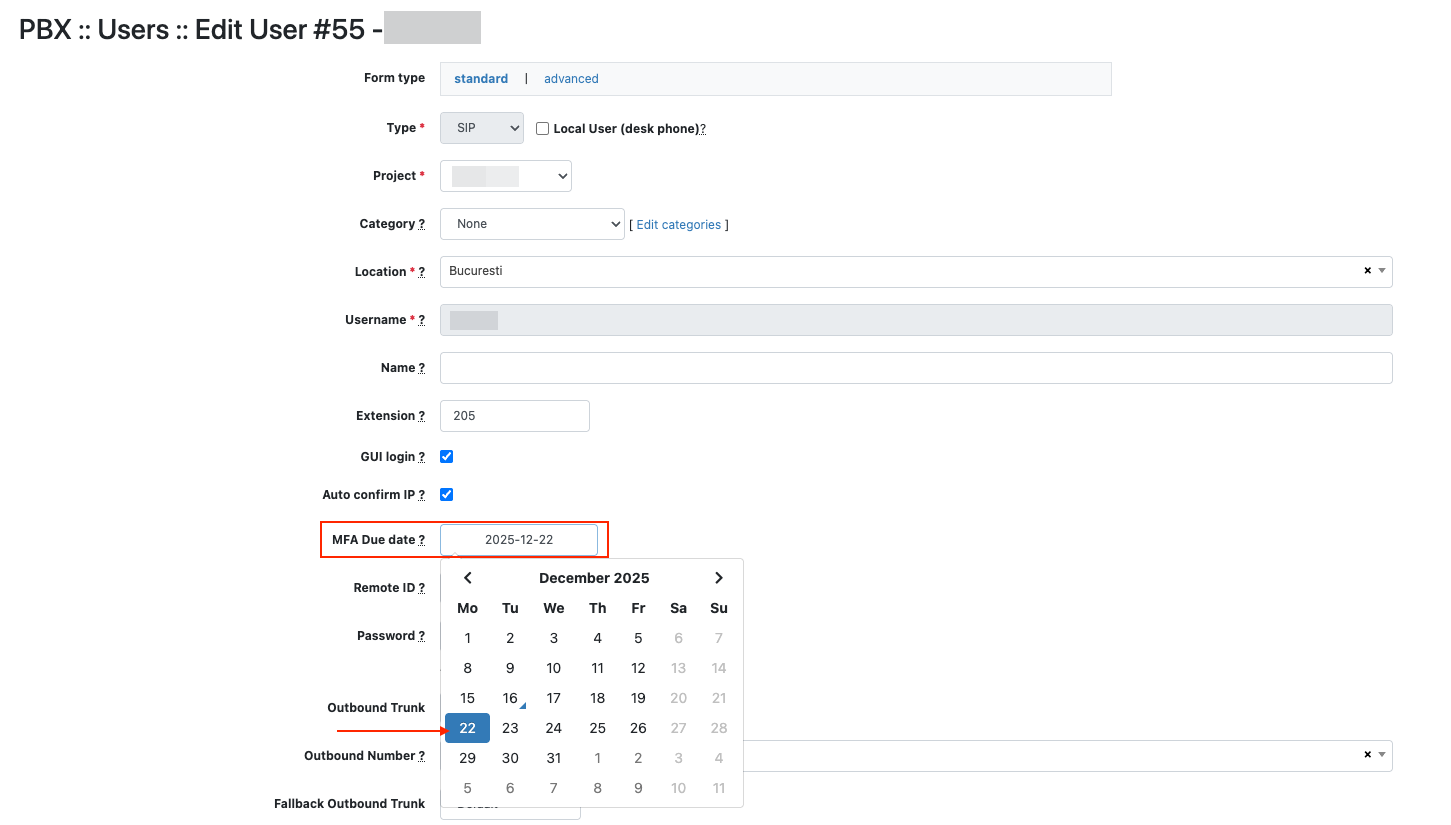
At the end of the grace period (MFA Due date), access to the platform for users with GUI access will be possible only by activating MFA.
Setting the Default Value for New Users
The MFA Due Date value, set globally in PBX :: Users and in the Enforce MFA for all users after area, is the default grace period for all users . To change the default value for new users:
- Go to Settings :: Parameters
- Click on users_default_mfa_grace_days

- Edit with the desired value
- Click Save

Also see: MFA authentication methods for GUI access