Missed calls
See also:
- Missed calls alert setup via email
- Missed calls notifications and recovery
- How to enable automated callback retries?
- Email address is set up but I don't receive the missed call alerts
- How to view a report on missed calls
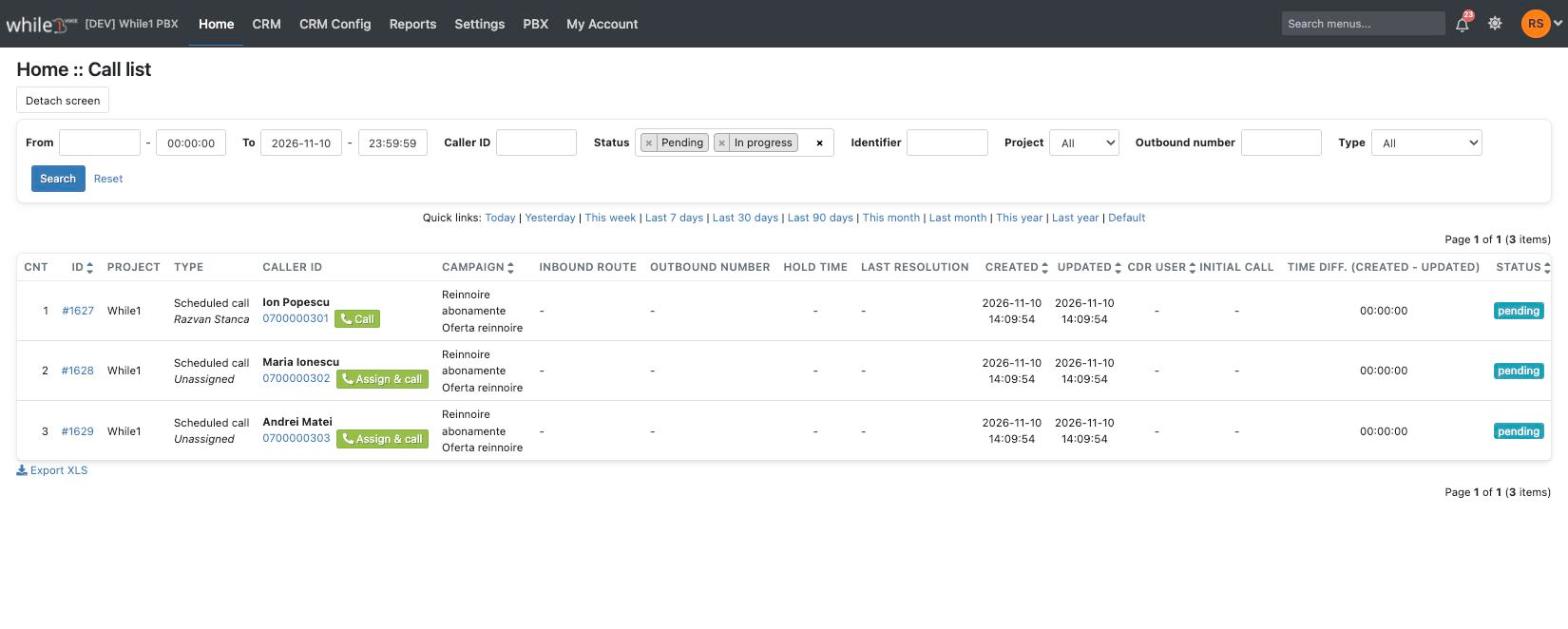
Access Home / Call list (formerly Home / Missed calls). The list shows the missed calls to recover and the calls scheduled for the operators: the Type column and filter (Missed call / Scheduled call). For the scheduled calls see Call queue (Manual calls).
On click on Call / Assign & call the operator's phone rings first (up to 30 seconds); after the operator answers, the customer's number is dialed. If the operator does not answer, the call stays in the list.
Please note! If the Call queue retries variable, which is set at the project level, has the value 0 (disabled), missed calls will not be displayed in Home :: Call list and in Home :: Call queue.

Available in other languages: RO